- Travel insuranceProduct insurance
- Obligatory published information
Undelivered Credit Card
Once we send your card, you will receive an SMS notification. The card is sent by regular mail directly to your mailbox. If the card does not arrive, check the your contact address in banking and request a new card.
- TIP
In the mobile app, you can track the delivery status of your card, see the address we sent it to, and the expected delivery date. If the card hasn’t arrived, you can resolve everything directly in the app.
In Mobile Banking
In Internet Banking
I haven't received my credit card
In the card details, you can see whether you should already have the card with you.
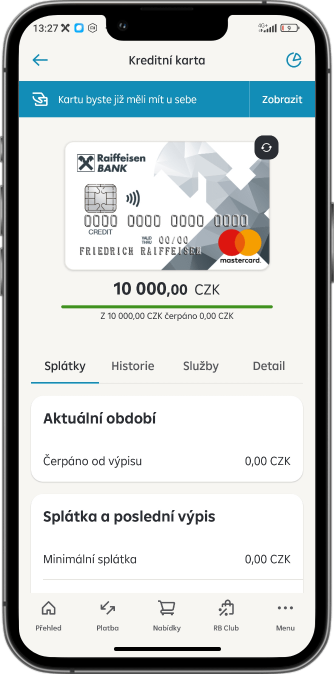
By clicking the blue button, you can access detailed information about the delivery.
If you see that the card should have already been delivered to you but it still hasn’t arrived, check the delivery address.
- If the address is correct, click on Card did not arrive.
- If the address is incorrect, return to the main page with product overview and first change the address in the Profile in the upper right corner in section My contact details. Wait a few minutes for the update to take effect. Then go back to the card details and click blue button. You will access detailed delivery information again and click on Card did not arrive.
After that, you will just confirm that you would like us to send you a new card, and we will block the undelivered one.