Methods of contacting the client to obtain required information
Clients are approached with a request to provide the required information or documents through the following channels.
Internet and mobile banking
The AML questionnaire is displayed to selected clients in internet or mobile banking on a regular and recurring basis in order to comply with the mandatory periodic client due diligence under the AML Act. The questionnaire is used to confirm the identification details that we, as a bank, register about the clients and to collect other additional information.
The questionnaire is always displayed for one month, during which the client is obliged to fill in the required information. The client may confirm or not confirm the identification details. In the event of incorrect identification details shown in the questionnaire, the client is obliged to update such information in person at any branch of the bank, all in accordance with the bank's general business conditions.
We prefer internet and mobile banking for communications with clients. For the client, it is a convenient way to send us the required documents. By means of a message in mobile or internet banking, we may notify the client of an e-mail asking the client to provide the required information. It is necessary to respond to this e-mail.
Where can I fill out the questionnaire to update personal information?
Once you receive a notification from the app or an email about the need to complete the questionnaire, just open your mobile or online banking and access the questionnaire. Note: The accuracy and truthfulness of the information provided affect the Bank’s internal procedures. Therefore, please fill in all details so they truly reflect your situation.
- Failure to complete the questionnaire or submit requested documents during client verification may be considered non-cooperation by the client, which can lead to restrictions such as blocking or termination of products and services.
Internet banking
Settings > Client information > Update AML questionnaire
Mobile banking
Person icon (top right corner) > Personal and legal data > Update legal data
You will find the request to fill out the questionnaire under the specific profile in your online or mobile banking. If you don’t see the request, switch to the correct profile in the top header of the app.
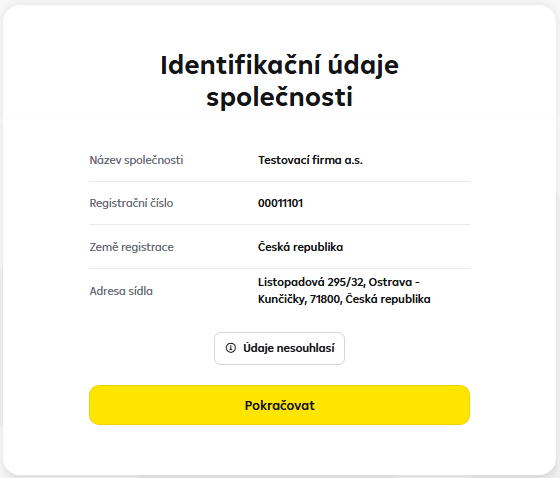
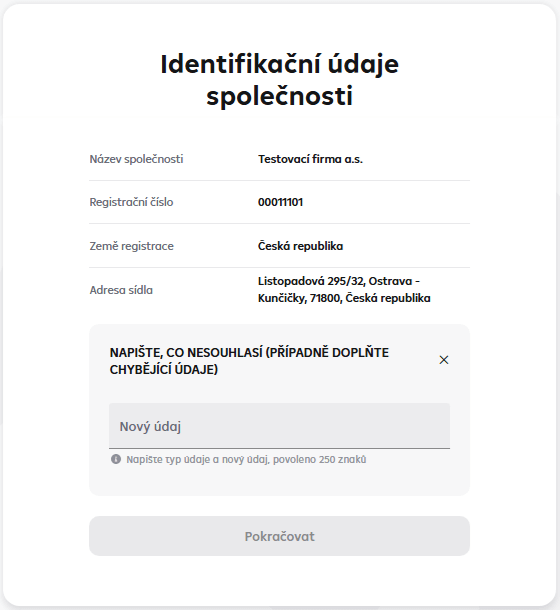
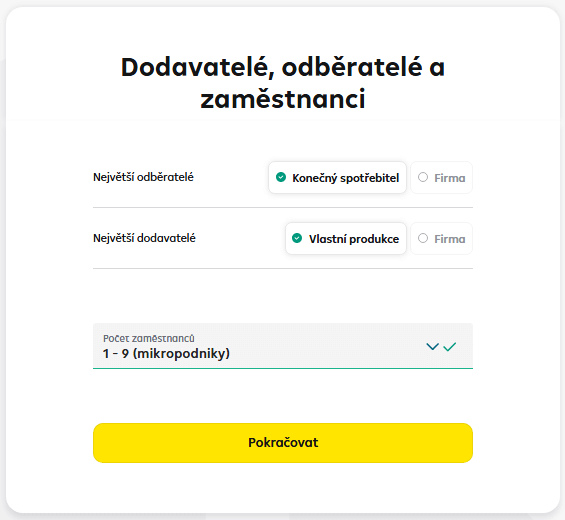
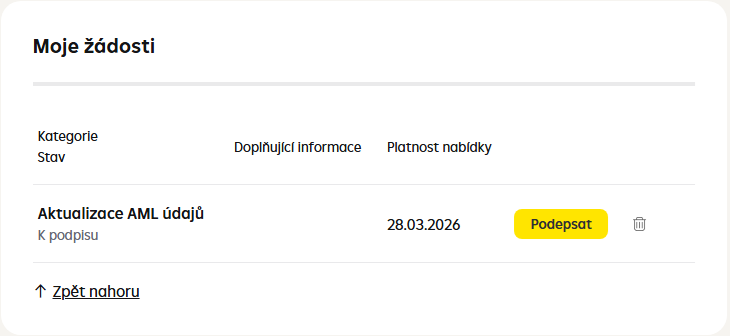
If any of details is no longer valid, you need to visit an RB branch in person and update the data.

If you have an additional address registered with the Bank, such as a mailing address, it is not displayed here.

- Estimated monthly transaction volume - include all outgoing and incoming transactions on all your accounts (cash and non-cash), including card transactions.
- Volume of cash transactions per month - include incoming and outgoing cash transactions made at branches and ATMs/deposit ATMs.
- Most frequent transaction type - select the prevailing transaction type on your accounts. If domestic payments are predominant, choose the Czech Republic.
- Most frequent payment destinations: Select the most frequent payment destinations from the countries to which you send payments regularly. Don't forget to choose the Czech Republic, being the most frequent destination for most clients.
- Type of income - active business, full-time or part-time employment, pensions or benefits are considered regular income. Income from temporary work and irregular extra earnings are considered irregular income.
- Source of income - select the predominant type of your income. In cases of concurrent business and employment, choose Business. If you are a student, for example, and your income comes from temporary work, just enter Student.
- Your profession - select the profession according to your main source of income.
- Job title - name the position you have in your profession.

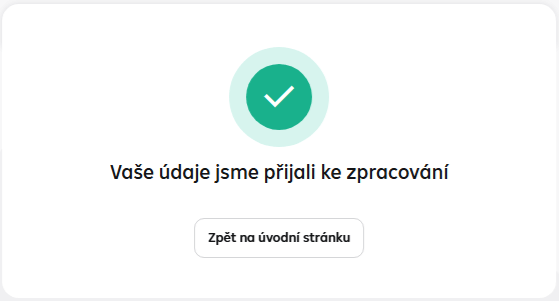
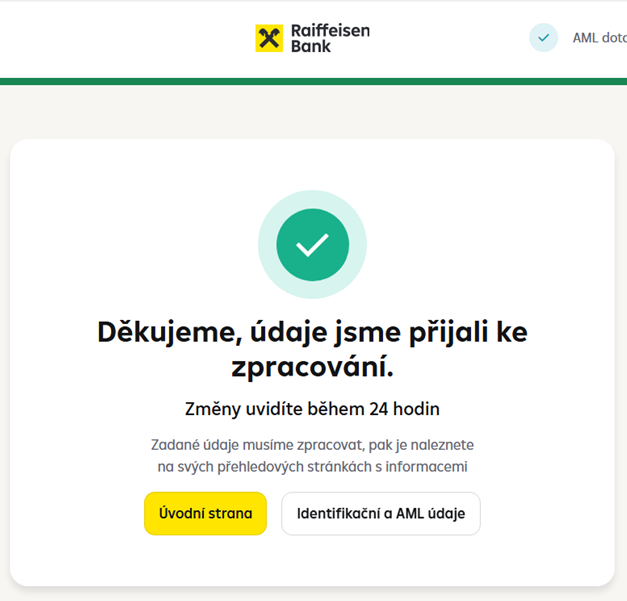
- Press "Identification and AML data" to check the completed and submitted form.
- The completed form will remain stored in the "Client Information" section of your internet and mobile banking, where you can update it anytime as needed.
-
Beware! Telephone bankers never require clients to provide their internet banking access details or authorize any payment.
If you note anything suspicious, hang up the call and contact the official info line. Learn how to prevent phishing (CZ).
E-mail, phone call, SMS
In some cases, we may request additional documents, such as for transaction screening, regarding the politically exposed person status, etc. Such documents are most often requested via internet and mobile banking. We usually notify you of a message in internet banking by a mobile text message or e-mail.
In the case of e-mail communications, we usually communicate from [email protected].
Instructions for inserting a document via internet banking
Raiffeisenbank a.s. performs client due diligence to eliminate the risks of money laundering and terrorist financing to the greatest possible extent. Client due diligence is often known as "Know Your Customer". At the bank's request, every client is obliged to provide the information necessary for the due diligence and to submit the relevant documents. If the client fails to provide such cooperation or if the client due diligence cannot be carried out for any other reason, the bank must proceed in accordance with applicable laws.
The bank ascertains and evaluates information on the purpose and nature of the transaction or business relationship, the nature of business activities, information on the identification and verification of the client's beneficial ownership and identification of the client's management and ownership structure, and information on the origin of assets of a politically exposed person or on the application of international sanctions to the client. In accordance with Sec. 9a of Act No. 253/2008 Coll., the bank carries out enhanced identification and due diligence of clients with a high-risk third country as their country of origin, all at any time during the establishment or existence of the business relationship. The list of high-risk countries is determined on the basis of Commission Regulation (EU) 2016/1675 and the FATF list of high-risk countries. From the bank's perspective, AML (Anti Money Laundering) rules must be adhered to. These are anti-money laundering measures that are also intended to combat the financing of terrorism (CFT).
The bank treats all client data and submitted information in accordance with the principles of banking secrecy.